Streaming has changed everything: sports, news, movies, live TV, and even private broadcasts. But behind every professional IPTV stream, there is a technical system that makes it possible — and one of the most important pieces of that system is the iptv encoder box.
If you’ve ever wondered how IPTV providers convert live video into a stream that can be delivered worldwide, the answer is simple: IPTV encoders. Whether you run a business, want to broadcast events, or you’re building a serious IPTV reselling project, understanding encoders will help you avoid mistakes and buy the right equipment.
In this guide, you’ll learn what an IPTV encoder does, what box is best for IPTV, how much IPTV costs monthly, and where to buy IPTV encoders safely in 2026. You’ll also see comparisons, tables, practical examples, and professional buying advice.
And if you’re building your IPTV reselling brand, Strong 8K is designed to support your growth with stable streaming, high-quality channels, and reseller-ready tools.
What Is an IPTV Encoder Box?
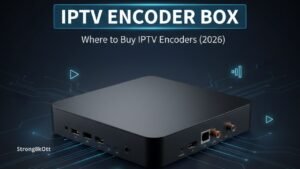
An iptv encoder box is a hardware device (or sometimes software) that takes a video input (HDMI, SDI, AV, etc.) and converts it into a digital streaming format that can be delivered through the internet using IPTV protocols.
In simpler words:
-
Input: Camera, satellite receiver, TV decoder, media player, PC
-
Output: IPTV stream (HLS, RTMP, SRT, UDP, TS, etc.)
IPTV encoder box vs IPTV box (very important)
Many people confuse these two terms:
-
IPTV encoder box = creates the IPTV stream
-
IPTV box = receives and plays IPTV streams on a TV
So if you’re a provider or broadcaster, you need an encoder.
If you’re a customer watching IPTV, you need a TV box.
How an IPTV Encoder Box Works (Step-by-Step)
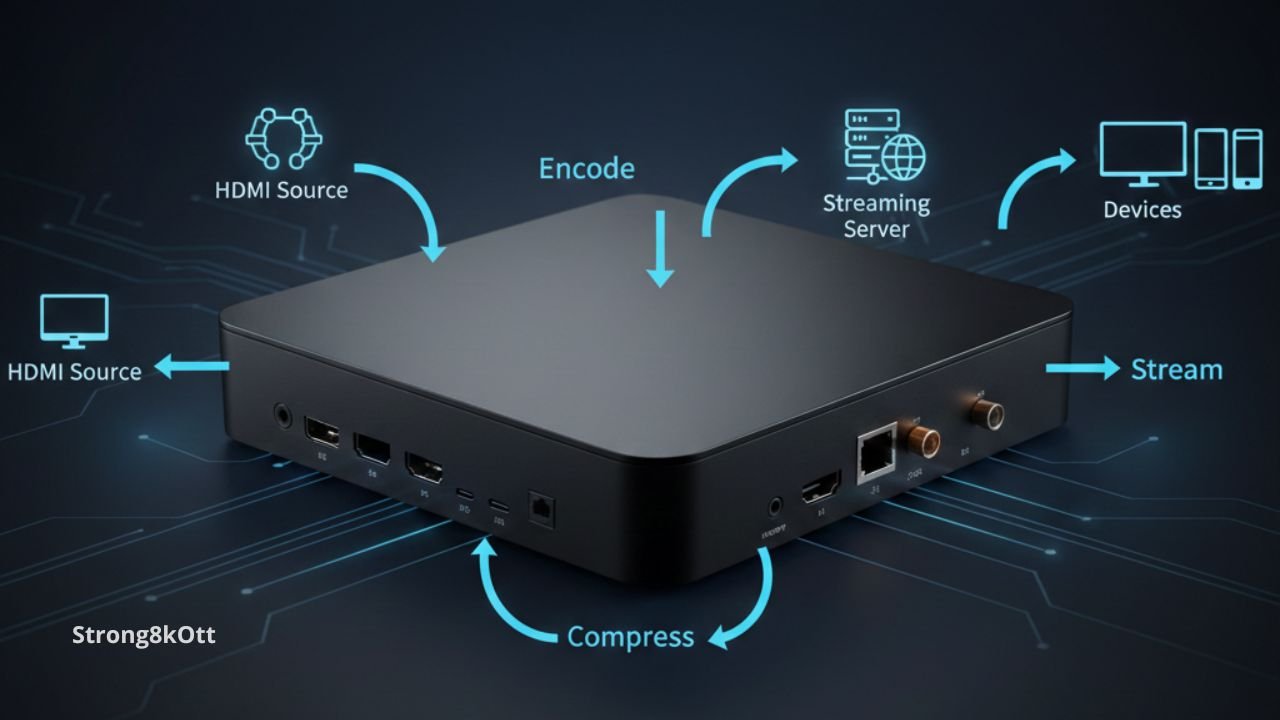
A modern iptv encoder box works like a real-time converter. It captures video and audio, compresses it efficiently, then packages it into streaming formats.
Here’s the full workflow:
Step 1: Video input capture
The encoder receives a signal from:
-
HDMI source (laptop, receiver, console)
-
SDI camera feed (broadcast cameras)
-
AV/RCA (older systems)
-
IP stream (some encoders can take NDI or RTSP)
Step 2: Compression (H.264 / H.265)
Raw video is huge. Encoders compress it using:
-
H.264 (most compatible)
-
H.265 / HEVC (better quality at lower bandwidth)
Step 3: Packaging + streaming protocol
The encoder wraps the compressed data into formats like:
-
HLS (most common for IPTV delivery)
-
RTMP (popular for live pushing)
-
SRT (high quality + stable)
-
UDP / RTP (traditional broadcast)
-
MPEG-TS
Step 4: Delivery to server/CDN
Finally, the stream goes to:
-
IPTV middleware
-
Streaming server
-
CDN
-
IPTV panel system
Why IPTV Encoders Are Essential for IPTV Providers
If you’re serious about IPTV as a business, encoders are not optional. A good iptv encoder box gives you:
1. Better stream stability
Cheap or low-quality encoders cause:
-
freezing
-
buffering
-
audio delay
-
pixelation
2. Consistent bitrate and quality
Professional encoders keep video stable even during fast scenes (sports).
3. Multiple channel support
Some encoder boxes support:
-
4 channels
-
8 channels
-
16 channels
-
24 channels
This is ideal for IPTV headend setups.
4. Lower bandwidth costs
H.265 encoders can reduce bandwidth by up to 40–50% compared to H.264 (depending on content and bitrate).
IPTV Encoder Box Types (Hardware vs Software)
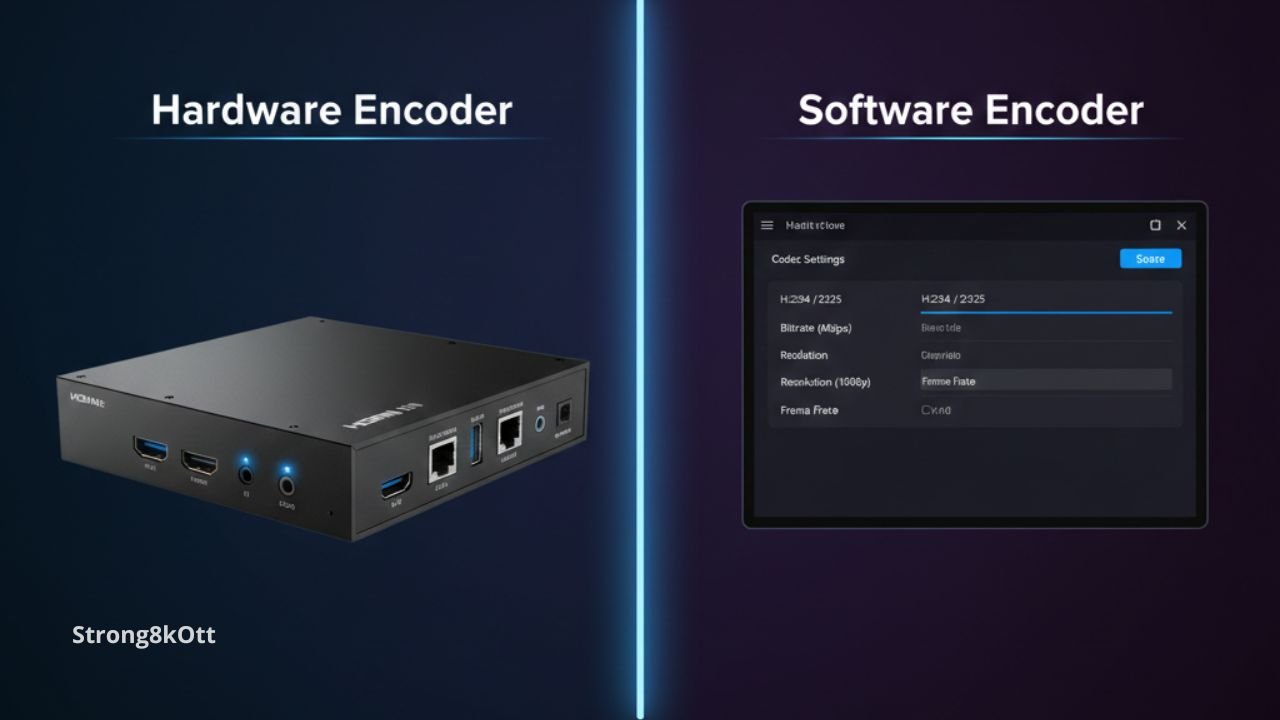
There are two main categories of IPTV encoders.
A) Hardware IPTV encoder boxes
A iptv encoder box in hardware form is a physical device designed for 24/7 streaming.
Best for:
-
IPTV providers
-
hotels
-
broadcasters
-
sports clubs
-
event organizers
Advantages:
-
stable
-
low latency
-
runs continuously
-
less CPU usage
B) Software encoders
Software encoders run on a PC, such as:
-
OBS Studio
-
FFmpeg
-
vMix
-
Wirecast
Advantages:
-
cheaper
-
flexible
-
good for small streams
Disadvantages:
-
depends on PC power
-
higher crash risk
-
not ideal for professional IPTV headends
Key Features to Look for in an IPTV Encoder Box
When buying a iptv encoder box, you should never choose randomly. Here are the most important specs.
Video encoding format
-
H.264 = best compatibility
-
H.265 = best efficiency
Resolution support
Look for:
-
1080p (Full HD)
-
4K (Ultra HD)
-
8K (rare and expensive)
Input types
Most common:
-
HDMI
-
SDI
-
CVBS (AV)
Bitrate control
Professional encoders allow:
-
CBR (Constant Bitrate) → more stable
-
VBR (Variable Bitrate) → more efficient
Streaming protocols
Most useful:
-
HLS
-
RTMP
-
SRT
-
UDP
Multi-channel support
For IPTV providers, multi-channel encoders reduce cost per channel.
IPTV Encoder Box Price Range (Realistic 2026 Breakdown)
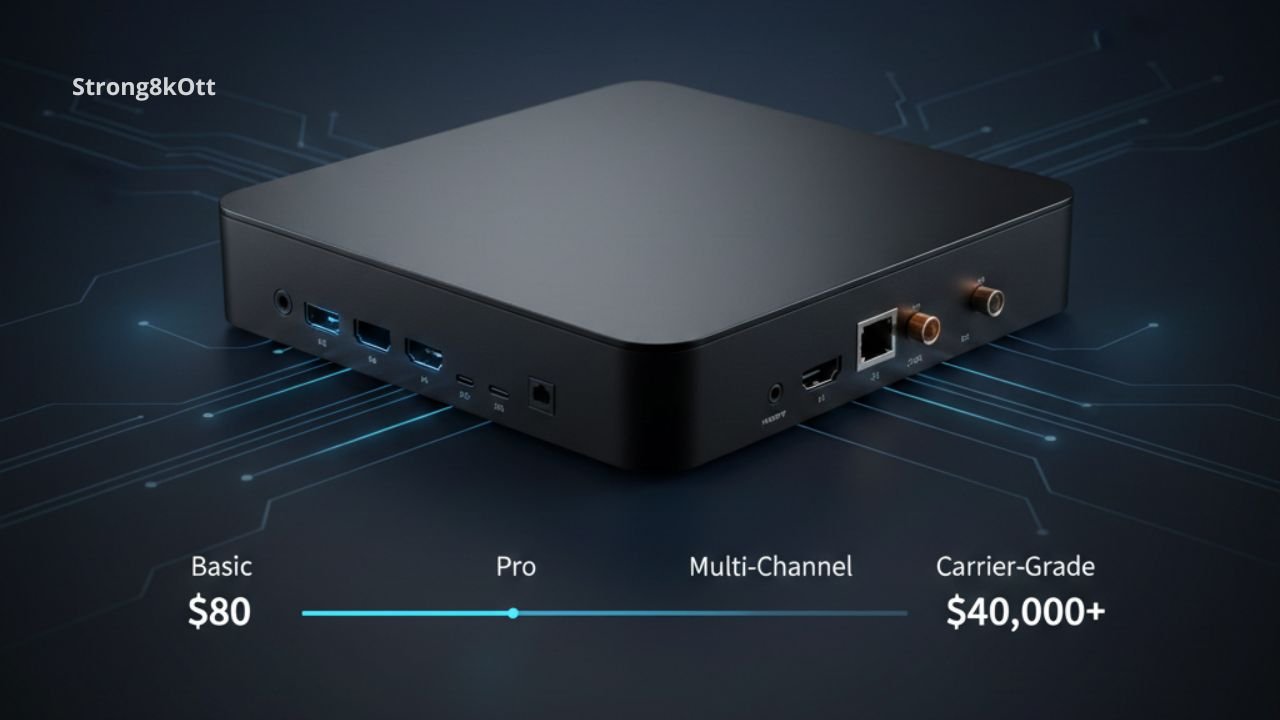
The cost of an iptv encoder box depends heavily on resolution, channel count, and brand.
Here’s a realistic price table:
| Encoder Type | Channels | Resolution | Typical Price Range (2026) |
|---|---|---|---|
| Basic HDMI encoder | 1 | 1080p | $80 – $250 |
| Pro HDMI encoder | 1 | 4K | $250 – $600 |
| Multi HDMI encoder | 4 | 1080p | $500 – $1,400 |
| SDI broadcast encoder | 1 | 1080p/4K | $700 – $2,500 |
| Multi SDI encoder | 4–16 | 1080p | $2,000 – $12,000 |
| Carrier-grade headend | 16–48 | 1080p/4K | $10,000 – $40,000+ |
Where to Buy IPTV Encoders (Safely in 2026)
Buying an iptv encoder box is not like buying a normal TV device. You need quality, warranty, and real specifications.
Best places to buy IPTV encoders:
1) Official manufacturer websites
This is the safest option for:
-
warranty
-
firmware updates
-
real technical support
2) Professional broadcast suppliers
These stores sell:
-
IPTV headend equipment
-
encoders
-
modulators
-
IPTV gateways
This is ideal for serious IPTV providers.
3) Amazon / AliExpress (careful)
You can find cheap encoders, but risks include:
-
fake specs
-
no support
-
overheating issues
-
unstable firmware
If you buy here, only choose:
-
verified sellers
-
strong reviews
-
tested models
4) IPTV equipment distributors
Many distributors provide bulk deals for IPTV businesses.
Best IPTV Encoder Box Brands (Trusted Options)
When choosing a iptv encoder box, brand matters because firmware stability and hardware reliability are critical.
Trusted encoder brands in the IPTV market:
-
Haivision (premium, SRT strong)
-
Teradek (portable professional)
-
Magewell (excellent HDMI/SDI capture and encoding)
-
Kiloview (popular for NDI, SRT, RTMP)
-
Ateme (carrier-grade)
-
Harmonic (enterprise headends)
-
Zowietek / FMUSER (budget-to-mid range IPTV encoders)
IPTV Encoder Box vs IPTV Reseller Panel (What You Really Need)
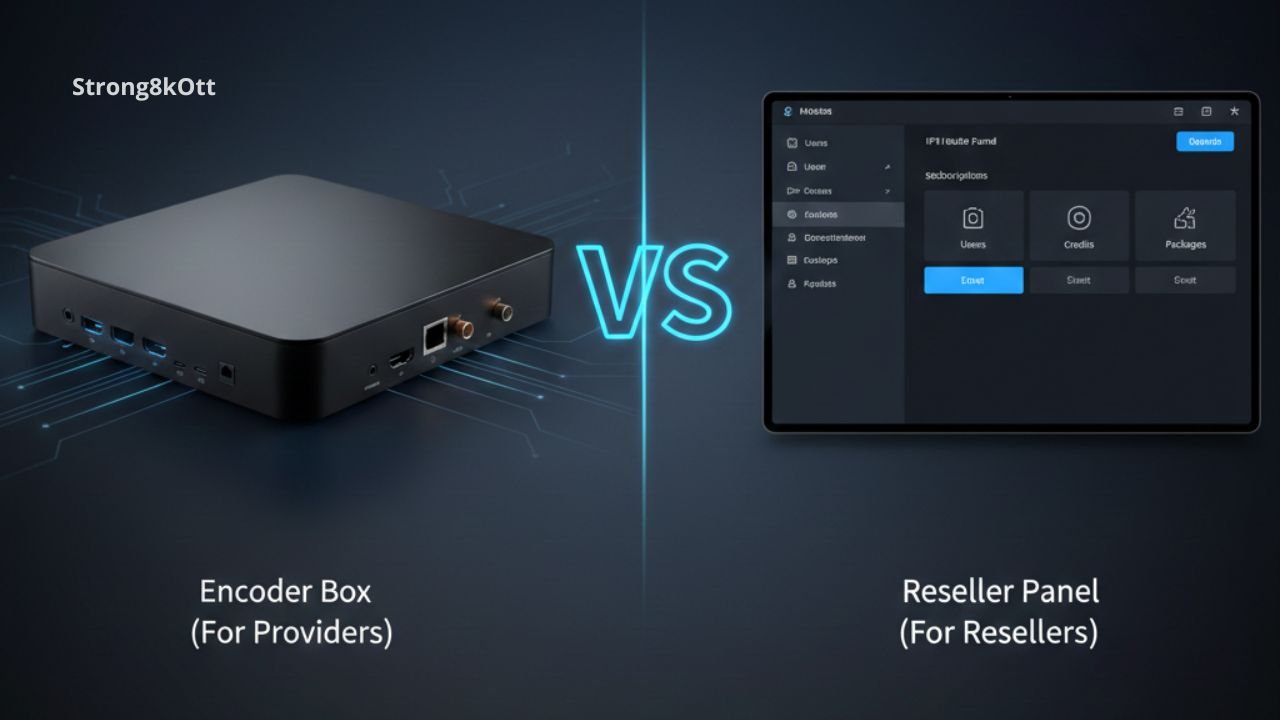
This is important for your audience.
Many beginners think they need an encoder to start IPTV reselling. Most of the time, they don’t.
If you are an IPTV reseller:
You usually need:
-
IPTV reseller panel
-
stable IPTV provider
-
marketing strategy
-
customer support system
You do NOT need:
-
an encoder headend system
If you are an IPTV provider:
You need:
-
IPTV server
-
CDN / bandwidth
-
a professional iptv encoder box
-
monitoring tools
-
backup streams
How Strong 8K Fits Into the IPTV Business
Strong 8K is built for IPTV users and resellers who want quality without complicated hardware investments.
Instead of spending thousands on a iptv encoder box, most resellers can start faster with:
-
ready IPTV content library
-
stable streaming infrastructure
-
reseller panel access
-
high-quality channels (HD / FHD / 4K)
-
affordable packages for clients
This makes Strong 8K a realistic solution for entrepreneurs who want to enter IPTV without building a full IPTV headend.
IPTV Encoder Setup Example (Simple Real-World Scenario)
Let’s say you want to stream a sports channel feed into your IPTV system.
Equipment needed:
-
Satellite receiver (source)
-
HDMI cable
-
iptv encoder box
-
IPTV server (or streaming server)
Steps:
-
Connect receiver HDMI output → encoder HDMI input
-
Configure encoder output format (HLS/RTMP/SRT)
-
Set bitrate (example: 5 Mbps for 1080p)
-
Push stream to IPTV server URL
-
Add stream to IPTV panel
-
Distribute to users
Recommended IPTV Encoder Settings (Quality + Bandwidth Balance)
A common mistake is choosing “maximum bitrate” without planning bandwidth.
Here are professional recommended settings for a iptv encoder box:
| Resolution | Codec | FPS | Bitrate Range | Best Use |
|---|---|---|---|---|
| 720p | H.264 | 30 | 2–3 Mbps | low bandwidth |
| 1080p | H.264 | 30/60 | 4–8 Mbps | sports + movies |
| 1080p | H.265 | 30/60 | 2.5–6 Mbps | best efficiency |
| 4K | H.265 | 30/60 | 12–25 Mbps | premium IPTV |
| 4K | H.264 | 30 | 18–35 Mbps | not recommended |
Common IPTV Encoder Box Mistakes to Avoid
A iptv encoder box can be powerful, but many users fail because of wrong decisions.
Mistake #1: Buying the cheapest encoder
Cheap models often:
-
overheat
-
crash
-
drop frames
-
desync audio
Mistake #2: Wrong protocol selection
For IPTV, the most stable delivery is usually:
-
HLS for end-users
-
SRT for contribution feeds
Mistake #3: No backup stream
Professional IPTV providers always keep:
-
backup encoder
-
backup source
-
backup server
Mistake #4: Overloading one encoder
If you push too many streams at high bitrate, you’ll cause:
-
unstable channels
-
buffering
-
server overload
IPTV Encoder Box for Hotels and Businesses
Hotels often use IPTV to deliver channels to rooms. In this case, an iptv encoder box is used to convert TV sources into IP streams.
Benefits for hotels:
-
fewer coax cables
-
centralized control
-
custom hotel channels
-
multi-language audio
Typical setup:
-
8–24 channel encoder
-
IPTV middleware
-
LAN distribution to rooms
IPTV Encoder Box for Live Events (Sports, Weddings, Conferences)
For live event streaming, portable encoders are often preferred.
A iptv encoder box for events should support:
-
low latency
-
mobile internet bonding (optional)
-
SRT or RTMP
-
stable audio sync
Is an IPTV Encoder Box Legal?
This topic matters, but you should keep it professional.
A iptv encoder box is a neutral device. It is legal to buy and use.
What can be illegal is:
-
streaming copyrighted channels without permission
-
rebroadcasting paid content
Legal uses include:
-
broadcasting your own content
-
private business channels
-
events you own rights to
-
licensed TV distribution
Best Box for IPTV: Encoder vs Android Box
This section answers a common confusion.
The best box depends on what you want.
If you want to WATCH IPTV:
Best options include:
-
Android TV box
-
Fire TV Stick
-
MAG box
-
Smart TV apps
If you want to CREATE IPTV streams:
You need a iptv encoder box.
So the “best IPTV box” question depends on the role:
-
viewer = receiver box
-
provider = encoder box
Quick Comparison Table (Encoder Box vs IPTV Box)
| Feature | IPTV Encoder Box | IPTV Box (Receiver) |
|---|---|---|
| Purpose | Creates IPTV stream | Plays IPTV stream |
| Used by | providers, broadcasters | customers, viewers |
| Input | HDMI/SDI/AV | Internet/Wi-Fi |
| Output | HLS/RTMP/SRT | TV display |
| Price | $80 – $40,000+ | $25 – $150 |
| Technical level | advanced | beginner |
FAQs (Must Answer)
What does an IPTV encoder do?
An IPTV encoder converts a video source (HDMI, SDI, AV, or camera feed) into a digital stream that can be delivered through IPTV systems using formats like HLS, RTMP, SRT, or MPEG-TS. In short, the encoder creates the live IPTV channel stream that viewers can watch.
What box is best for IPTV?
The best box for IPTV depends on your goal:
-
If you want to watch IPTV, the best choice is an Android TV box, Fire Stick, MAG box, or Smart TV IPTV app.
-
If you want to broadcast IPTV, the best choice is a professional IPTV encoder.
For resellers who don’t want to build infrastructure, using a stable provider like Strong 8K is often the fastest and most affordable way to start.
How much is IPTV per month?
IPTV prices vary depending on quality, stability, and features. In 2026, common monthly IPTV subscription ranges are:
-
Budget IPTV: $5 – $10/month
-
Standard IPTV: $10 – $20/month
-
Premium IPTV (4K + stable): $15 – $30/month
For resellers, Strong 8K offers competitive packages designed to help you grow recurring income while delivering stable quality.
What does an IPTV box do?
An IPTV box (receiver box) is a device that connects to your TV and internet to play IPTV streams. It does not create channels. It simply receives IPTV content from a provider and displays it on your screen using apps like IPTV Smarters, TiviMate, or other IPTV players.
Final Thoughts
Understanding the difference between an IPTV encoder and a normal IPTV box is one of the most important steps for anyone entering the streaming or IPTV business. A iptv encoder box is designed for broadcasting and building IPTV channels, while IPTV receiver boxes are made for viewing.
If your goal is to start an IPTV reselling business without investing thousands into headend hardware, Strong 8K is a smart option. You get the benefits of a stable IPTV service, professional content, and reseller-friendly tools — without needing to build your own IPTV encoding infrastructure.