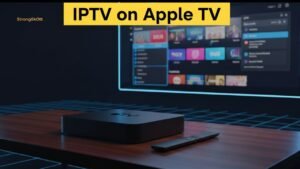
Watching IPTV on Apple TV is one of the most modern and comfortable ways to enjoy live TV, premium sports, movies, and series on a big screen. Apple TV is built for smooth streaming: it has strong performance, stable software (tvOS), excellent Wi-Fi, and a clean interface that makes navigation feel premium.
If you’ve ever tried IPTV on an old Android box or a cheap TV stick and faced buffering, freezing, or lag, Apple TV can feel like a huge upgrade. But there’s one important detail: Apple TV is different from Android devices, so IPTV setup is not exactly the same. Some popular Android apps don’t exist on tvOS, and you need to use Apple TV compatible IPTV players.
In this complete 2026 guide, you will learn how to watch IPTV on Apple TV step by step, which apps are best, how to use M3U or Xtream Codes, how to avoid common problems, and how to choose a reliable IPTV subscription.
And if you want a strong IPTV provider built for smooth playback and stability, Strong 8k is a great choice. It’s designed for IPTV users who want premium quality, reliable servers, and real customer support when something goes wrong.
Why Apple TV Is One of the Best Devices for IPTV Streaming
Apple TV is not just a streaming box for Netflix or YouTube. It’s a powerful media device with strong hardware, and that makes it perfect for IPTV. When you run IPTV on Apple TV, the biggest advantage is stability: the system is optimized for video playback and multitasking.
Here’s why Apple TV is widely considered one of the best IPTV devices:
1) High Performance Hardware
Apple TV is fast. It loads apps quickly, handles large playlists better, and switches channels smoothly compared to many budget streaming devices.
2) tvOS Stability
Unlike many Android devices that slow down over time, Apple TV remains smooth for years. Updates are frequent and secure.
3) Better Video Playback
Apple TV handles HD and 4K decoding very well, which improves smoothness and reduces freezing. If your IPTV provider is strong, the playback quality is excellent.
4) Strong Wi-Fi and Ethernet Support
Many Apple TV models support Ethernet, which is the best connection for IPTV. Even on Wi-Fi, Apple TV is usually more stable than many alternatives.
5) Clean Interface
Apple TV IPTV apps generally feel cleaner and more premium than random IPTV apps on Android.
For all these reasons, many IPTV users prefer Apple TV as their main streaming device.
What You Need Before Setting Up IPTV on Apple TV
Before you start, you need a few things prepared. Setting up IPTV on Apple TV is not difficult, but it requires correct IPTV login details and a compatible IPTV player.
Here’s what you should have ready:
1) Apple TV Device (Recommended Models)
You can use:
-
Apple TV HD
-
Apple TV 4K (1st, 2nd, or 3rd generation)
Apple TV 4K is recommended because it offers the best performance and future-proof streaming.
2) Strong Internet Connection
Even with a powerful device, IPTV quality depends heavily on your internet connection.
Recommended speeds:
-
10 Mbps for HD channels
-
25 Mbps for 4K channels
-
50 Mbps+ if multiple devices stream at the same time
If you watch sports, internet stability matters more than speed.
3) IPTV Subscription Details
Most IPTV providers give you one of these:
-
M3U Playlist URL
-
Xtream Codes API (server URL + username + password)
Strong 8k provides both formats so you can use any Apple TV IPTV app you prefer.
4) A Compatible IPTV Player for tvOS
Apple TV apps are different from Android apps. You need a player that works on tvOS.
Understanding How IPTV Works on Apple TV (Simple but Important)
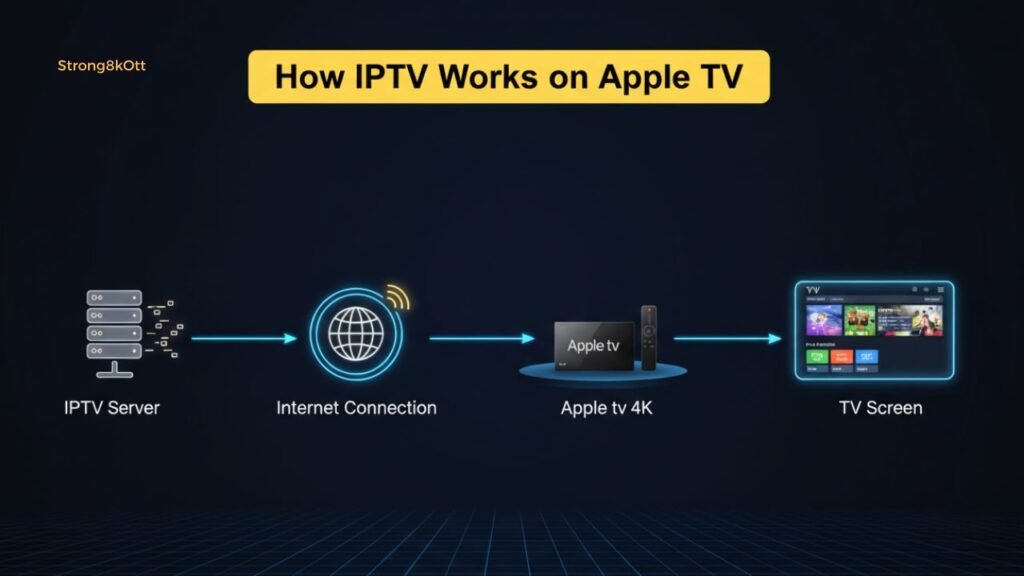
Many beginners confuse IPTV apps and IPTV providers. So let’s make it very clear.
When using IPTV on Apple TV, you need two separate things:
IPTV Provider (Subscription)
This is the service you pay for. It gives you:
-
Live TV channels
-
Sports packages
-
Movies and series (VOD)
-
EPG (TV guide)
-
Streaming servers
Strong 8k is an IPTV provider.
IPTV Player App (Viewer)
This is the app installed on your Apple TV. It does NOT provide channels by itself. It only plays what your provider gives you.
Apps like IPTVX or iPlayTV are IPTV players.
So if your IPTV app is perfect but your provider is weak, you will still get buffering.
The Best IPTV Apps for Apple TV in 2026
To run IPTV on Apple TV, you need an IPTV app available in the Apple TV App Store. Not all apps are equal, and some have better design, better EPG support, and smoother playback.
Here are the most trusted options in 2026:
1) IPTVX (Premium Experience)
IPTVX is considered one of the most modern IPTV apps on Apple platforms.
Main features:
-
Very clean Apple-style interface
-
Fast playlist loading
-
Strong EPG integration
-
Great for VOD and series categories
-
Supports multiple playlists
-
Sync support on Apple ecosystem (depending on version)
If you want the most “Apple-like” IPTV experience, IPTVX is a top choice.
2) iPlayTV (Simple and Reliable)
iPlayTV is one of the most popular IPTV apps for Apple TV because it focuses on stability.
Main features:
-
Supports M3U playlists
-
Supports EPG
-
Fast channel switching
-
Favorites and categories
-
Good performance even with large playlists
It’s a great option for beginners who want a clean and stable IPTV player.
3) Smarters Player Lite (Limited Availability)
Some users can find Smarters Player Lite on Apple devices, but it’s not always available in every country.
If you can find it, it can work. But many Apple TV users prefer IPTVX or iPlayTV.
4) Other IPTV Players
Depending on your App Store region, you may find other apps. However, the most stable choices for IPTV on Apple TV are usually IPTVX and iPlayTV.
Step-by-Step: How To Watch IPTV on Apple TV (The Easiest Setup)
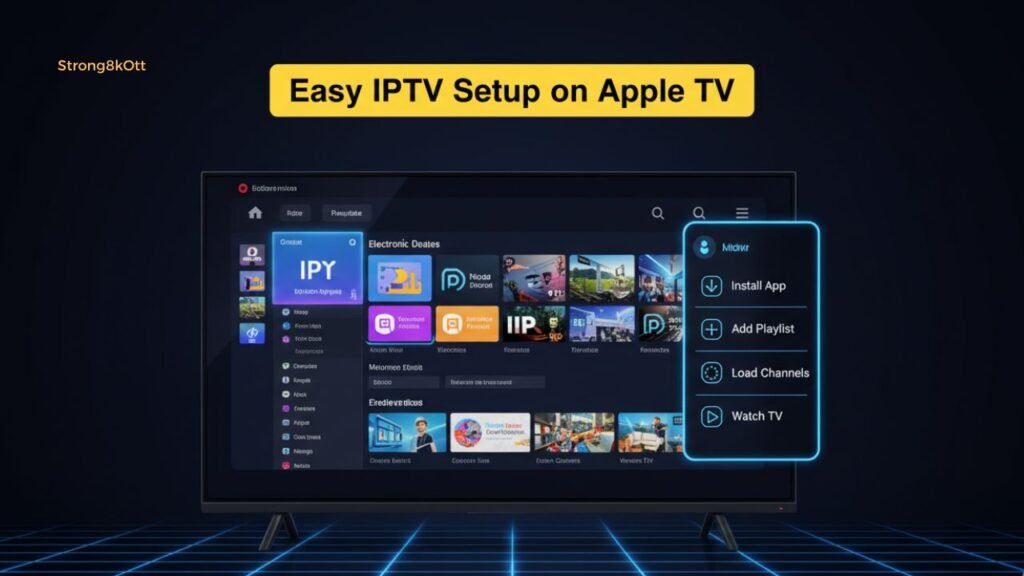
Now let’s go into the real setup method. If your goal is to learn how to watch IPTV on Apple TV, this is the simplest process.
Step 1: Install an IPTV App from the App Store
On your Apple TV:
-
Open App Store
-
Search for IPTVX or iPlayTV
-
Download and install
Step 2: Get IPTV Login Details from Your Provider
Your IPTV provider will send you login details after you buy a subscription.
Usually you receive:
Option A: Xtream Codes
-
Server URL
-
Username
-
Password
Option B: M3U Playlist URL
A long link that contains your login information.
Strong 8k provides both options.
Step 3: Add IPTV Details to the App
Open your IPTV app and choose:
-
Add playlist
-
Add provider
-
Add Xtream Codes or M3U
Paste the details carefully.
Important tip:
-
Don’t add extra spaces
-
Make sure the server URL is correct
-
Keep your username and password exactly as provided
Step 4: Wait for Channels to Load
After adding your playlist, the app will load:
-
Live channels
-
Movies (VOD)
-
Series (if available)
-
EPG (TV guide)
Large playlists can take a few minutes the first time.
Step 5: Start Watching
You can now enjoy live TV, sports, and VOD directly using IPTV on Apple TV.
IPTV on Apple TV Using Xtream Codes vs M3U (Which One Should You Use?)
Most IPTV providers offer both M3U and Xtream Codes. Both work, but Xtream Codes usually provides a smoother experience.
Xtream Codes Advantages
-
Loads channels, VOD, and series automatically
-
Better EPG mapping
-
Cleaner categories
-
Easier for beginners
-
Often faster playlist updates
M3U Advantages
-
Universal format
-
Works with almost every IPTV app
-
Simple to copy/paste
If you want the easiest setup for IPTV on Apple TV, Xtream Codes is usually the best option.
How to Add EPG (TV Guide) on Apple TV IPTV Apps
EPG is the TV guide that shows:
-
what is currently playing
-
what’s next
-
channel schedules
Some IPTV apps automatically load EPG using Xtream Codes. Others require you to add an EPG URL.
When using IPTV on Apple TV, EPG is important because it makes the experience feel like normal cable TV.
If EPG is Missing
Possible reasons:
-
Provider didn’t include EPG
-
App needs EPG enabled in settings
-
EPG URL not linked properly
Strong 8k typically includes EPG, which improves Apple TV IPTV apps a lot.
Common IPTV Problems on Apple TV (And How to Fix Them)
Even if Apple TV is stable, IPTV can still have issues depending on the provider and your network.
Here are the most common problems when using IPTV on Apple TV, and how to solve them.
Problem 1: Channels Keep Buffering
This is the #1 IPTV issue.
Possible causes:
-
weak Wi-Fi signal
-
internet instability
-
overloaded IPTV servers
-
low-quality IPTV provider
Fix:
-
Restart your router
-
Use Ethernet if possible
-
Avoid peak hours if your provider is weak
-
Upgrade to a stable IPTV service like Strong 8k
Problem 2: Playlist Doesn’t Load
Possible causes:
-
wrong M3U link
-
wrong username/password
-
server URL typed incorrectly
-
provider subscription expired
Fix:
-
copy/paste again carefully
-
check if the link starts with http:// or https://
-
ask your IPTV provider support for updated details
Problem 3: No Sound on Some Channels
Causes:
-
audio codec issue
-
IPTV stream source problem
Fix:
-
try another channel
-
restart the app
-
if the issue is only on certain channels, it’s usually provider-side
Problem 4: App Crashes or Freezes
Causes:
-
very large playlists
-
app bug
-
old tvOS version
Fix:
-
update tvOS
-
update the IPTV app
-
remove and re-add playlist
-
use a different IPTV app
IPTV on Apple TV for Sports Streaming (What Matters Most)
Sports is the most demanding type of IPTV content. Many IPTV providers look fine until a big match starts. Then suddenly:
-
streams freeze
-
channels buffer
-
server overload happens
When you watch sports using IPTV on Apple TV, the device is not the problem. Apple TV is powerful. The provider is the key.
For Sports, You Need:
-
stable IPTV servers
-
fast switching
-
minimal delays
-
strong uptime during peak hours
-
responsive support
Strong 8k is built for stable performance, especially during high-demand sports events.
Is Apple TV Better Than Firestick for IPTV?
This depends on your budget and needs.
For IPTV on Apple TV, you get:
-
faster performance
-
smoother navigation
-
better long-term stability
-
more premium experience
Firestick advantages:
-
cheaper
-
more IPTV apps available (Android-based)
-
easier for some users
But if your priority is quality and smooth playback, Apple TV is usually better.
Can You Install IPTV Smarters on Apple TV?
This is one of the most asked questions online.
The Truth
The full “IPTV Smarters Pro” app is mainly made for Android. Apple TV uses tvOS, and app availability is different.
Some users can find:
-
Smarters Player Lite
But in many regions, IPTV Smarters is not available or is limited.
The good news is: you don’t need it.
For IPTV on Apple TV, IPTVX and iPlayTV often deliver a better experience.
Does Apple TV Support STBEMU?
STBEMU is an IPTV emulator mainly used for MAG-style portals and Android devices.
Answer
- No, STBEMU does not work on Apple TV.
- So if your IPTV provider only supports STBEMU or MAG portal, it’s not ideal for Apple TV users.
- Strong 8k supports modern formats (Xtream Codes and M3U), which are compatible with Apple TV IPTV apps.
IPTV on Apple TV Without an IPTV App (Alternative Methods)
Sometimes people can’t install IPTV apps due to region restrictions or App Store limitations. If that happens, there are alternative methods.
Method 1: AirPlay from iPhone/iPad
You can install IPTV apps on your iPhone and then AirPlay the content to Apple TV.
Pros:
-
Works even without Apple TV IPTV apps
-
Easy if you already use IPTV on iPhone
Cons:
-
Not as stable
-
Depends on your phone battery
-
Not as smooth as direct IPTV apps
Method 2: Use a Web Player (Not Recommended)
Some IPTV providers offer web players, but Apple TV web browsing is limited. This method is not reliable for daily use.
Is IPTV Legal on Apple TV?
- Apple TV is legal. IPTV technology is also legal.
- The legal issue depends on the IPTV service itself.
- Some IPTV providers have proper licensing, others do not. Laws vary by country, and enforcement differs.
- If you plan to use IPTV on Apple TV, you should always follow your local laws and avoid suspicious services that look unsafe.
Why Strong 8k Is a Good Choice for IPTV on Apple TV
Strong 8k is a website and IPTV platform built for IPTV users who want a smooth experience.
When you use IPTV on Apple TV with Strong 8k, you get:
-
Xtream Codes + M3U support
-
Fast activation after purchase
-
Stable streaming servers
-
HD / FHD / 4K options
-
Live TV + movies + series
-
Sports coverage
-
Reliable uptime
-
Support that can guide you if you’re new
Apple TV is a premium device. Pairing it with a stable provider is what creates the best results.
Best Settings to Improve IPTV Performance on Apple TV
If you want the smoothest experience with IPTV on Apple TV, apply these performance tips.
1) Use Ethernet Instead of Wi-Fi
If your Apple TV model supports Ethernet, use it.
2) Restart Your Router
Restarting weekly helps reduce random lag.
3) Close Background Apps
Double-click the TV button and close unused apps.
4) Keep tvOS Updated
Updates improve performance and compatibility.
5) Use a Premium IPTV App
Cheap IPTV apps can be buggy. IPTVX and iPlayTV are usually more stable.
How Much Does IPTV Cost in 2026?
Pricing depends on:
-
number of channels
-
server quality
-
VOD library size
-
sports packages
-
customer support
Typical categories:
Cheap IPTV (Risky)
-
very low price
-
often buffers
-
weak servers
-
poor support
Mid-Range IPTV
-
acceptable quality
-
some buffering during peak times
-
average support
Premium IPTV
-
stable servers
-
better HD/4K streaming
-
better EPG and VOD organization
-
real customer support
If you want reliable IPTV on Apple TV, premium IPTV is usually worth it.
Is There Free IPTV for Apple TV?
Free IPTV playlists exist, but they are usually not a good idea.
Problems include:
-
streams go offline quickly
-
channels constantly change
-
heavy buffering
-
no EPG
-
security risks (unknown sources)
For daily viewing, free IPTV is rarely stable enough.
If you want smooth IPTV on Apple TV, a paid provider like Strong 8k is the realistic solution.
Final Thoughts: Is IPTV on Apple TV Worth It in 2026?
Yes. IPTV on Apple TV is one of the best IPTV setups available today. Apple TV gives you premium performance, a clean interface, and smooth playback.
But the real secret is combining Apple TV with a stable IPTV provider.
To get the best experience:
-
Use a good IPTV app (IPTVX or iPlayTV)
-
Use Xtream Codes login if possible
-
Choose a stable IPTV provider like Strong 8k
-
Use strong internet (preferably Ethernet)
Once everything is set up, Apple TV becomes a powerful IPTV entertainment system for live TV, sports, and movies.
FAQs
Can you have IPTV on Apple TV?
Yes, you can use IPTV on Apple TV by installing an IPTV player app from the Apple TV App Store (such as IPTVX or iPlayTV) and adding your IPTV subscription details via M3U or Xtream Codes.
What is the best app to watch IPTV?
For Apple TV, the most recommended IPTV apps are:
-
IPTVX (premium Apple-like experience)
-
iPlayTV (simple and stable)
Both are excellent for IPTV on Apple TV.
Does STBEMU work on Apple TV?
No. STBEMU is an Android-based IPTV emulator and does not work as a tvOS app, so it cannot be used for IPTV on Apple TV.
How much does an IPTV subscription cost?
The cost depends on the provider, channel quality, server stability, and VOD size. Premium IPTV services cost more but offer better stability and fewer buffering issues, which is important for IPTV on Apple TV.
How to get IPTV smarters on Apple TV?
The full IPTV Smarters Pro app is not always available on Apple TV. Some users may find Smarters Player Lite depending on region. If it’s unavailable, IPTVX or iPlayTV are better alternatives for IPTV on Apple TV.
Is there a free IPTV?
Free IPTV links exist, but they are usually unstable, unsafe, and unreliable. For smooth daily streaming, a premium provider like Strong 8k is a better option for IPTV on Apple TV.